
advocate
inform
newsletters

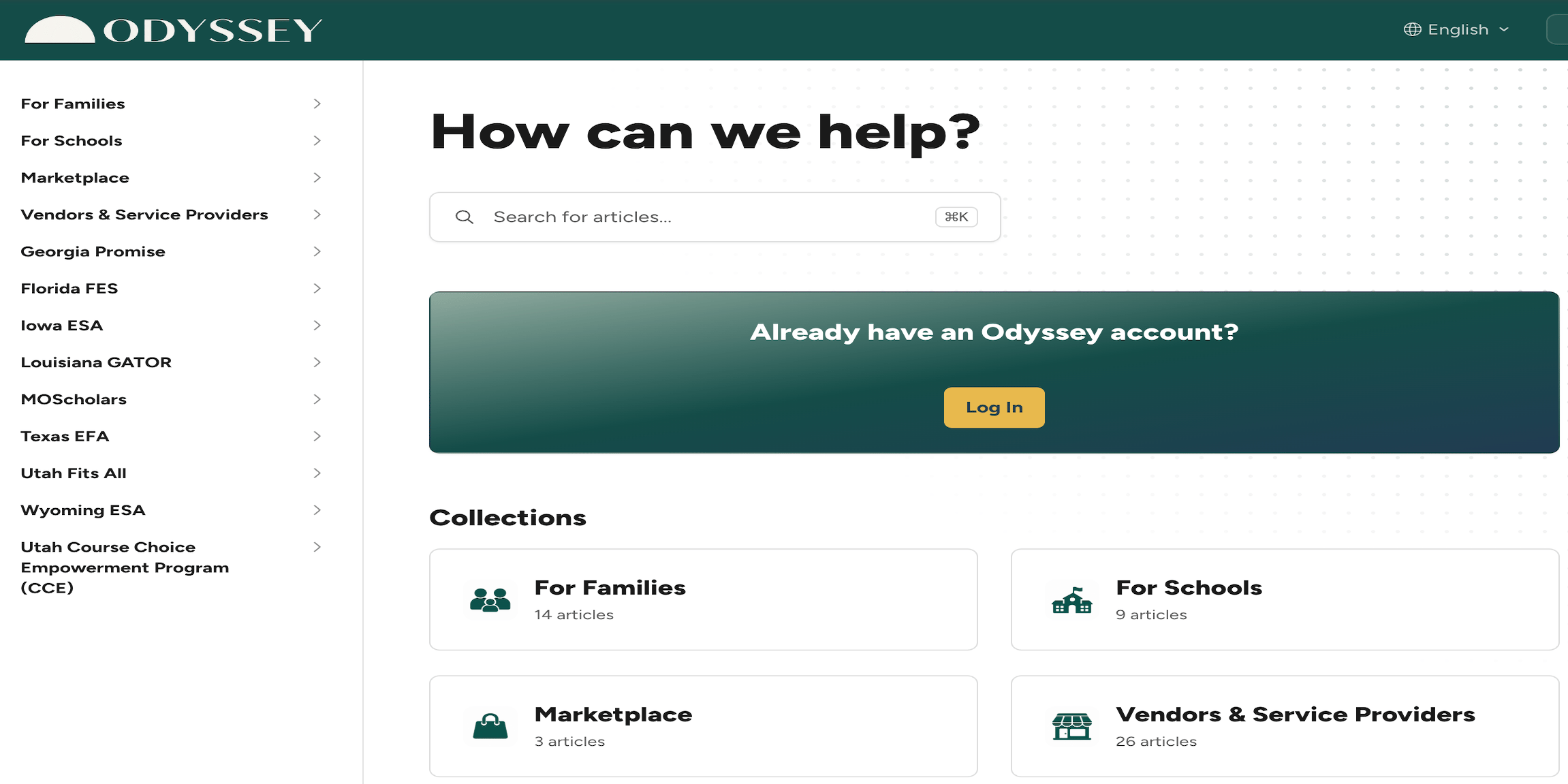
👀 Odyssey’s Help Center has a new look
In case you haven’t discovered yet, Odyssey has changed their website over to a new format. The familiar online handbook no longer looks the same. This means navigation also looks a bit different. Be sure to click on Utah Fits All for UFA specific articles.

The navigation directs you to what are now called “collections” for subject matter articles.
You will also find collections within the collections. For example, to find the very useful UFA spending and reimbursement guide you would navigate to For Families ➡️ What You Can Use Funds For ➡️ Utah Fits All (UFA) Spending and Reimbursement Guide.
Apart from UFA specific articles, there is a separate collection for each subject for general inquiries, including articles for Marketplace.
🧭 Navigating Odyssey Support
How to contact Odyssey Support and Odyssey Support Contact Information can be found by navigating to the general Families button. There is also a How to Contact Odyssey Support article under the For Families UFA collection.

Unfortunately, previously posted or shared links to the handbook will no longer work and will bring up an error page. You may have discovered that with your bookmark of the website.
We hope this information is helpful to you. Our goal is to make sure parents and providers have the information and resources they need to navigate the scholarship program.